Ekahau: Renaming Measured APs Automatically with a Python Script
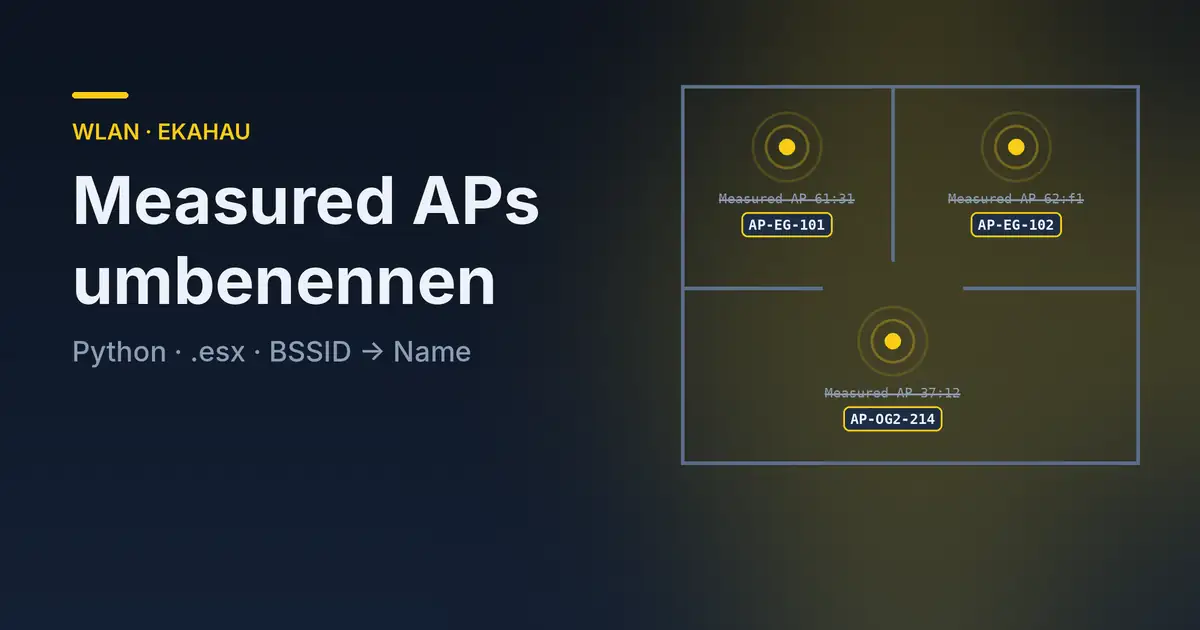
Anyone who has done a site survey of an existing network with Ekahau knows the picture: after the survey, the floor plan is full of access points with names like Measured AP-61:31, Measured AP-62:f1 or Measured AP-37:12. That may be good enough for your own analysis. But in the customer report nobody wants to read MAC fragments – they want the names that are used in the management system and on the ceiling: AP-EG-101, AP-OG2-214 and so on.
On a larger survey with well over 200 access points, it was clear to me: I am not renaming these by hand. In this article I describe how I renamed the APs in the Ekahau project file with a Python script – and which pitfalls I ran into.
A Look Inside the .esx File
An Ekahau project file (.esx) is essentially nothing more than a ZIP archive. Rename it or unpack it directly and you will find three kinds of content:
- Binary files – not relevant for our purpose
- Image files – floor plans and the like
- JSON files – and these are worth a closer look
The JSON files contain practically the entire data model of the project, readable and editable with any text editor. Three of them matter for renaming:
| File | Content |
|---|---|
accessPoints.json |
The access points with ID, name and the mine flag (own AP or foreign network) |
measuredRadios.json |
Links each AP to the IDs of its measured radios |
accessPointMeasurements.json |
The actual measurements: BSSID, SSID, channel |
So the idea was clear: for each of my own APs, get its BSSIDs via the measurements, derive the device’s MAC address, look it up in a name list, replace the name in accessPoints.json and pack everything up again.
Challenge 1: Three Files, One Truth
The AP name is in one file, the MAC addresses are in another, and the two are only linked through IDs in a third. The path is always: AP → radios → measurement IDs → measurement with BSSID. That is not rocket science, but you have to understand the data model once. My first version solved this with three nested loops – that works with a few thousand entries, but a dictionary keyed by measurement ID is more elegant.
Worth noting: the name Measured AP-xx:xx is not a reliable indicator of the device. In my case, for example, one AP was called Measured AP-61:a0 although all of its BSSIDs started with 61:9x. If you rely on the Ekahau name, you may end up with the wrong mapping. The mapping has to be based on the BSSIDs that were actually measured.
Challenge 2: From BSSID to Device MAC
Ekahau only sees the BSSIDs over the air – one MAC address per SSID and band. My name list, on the other hand, contained the base MAC of each access point, as it is listed in the management system.
Fortunately, with OmniAccess Stellar this can be derived cleanly: the base MAC ends in 0, and the BSSIDs count up in the last nibble. Typically it looks like this:
| Base MAC | BSSIDs 2.4 GHz | BSSIDs 5 GHz |
|---|---|---|
…:61:30 |
…:61:31 to …:61:34 |
…:61:39 to …:61:3c |
Replace the last character of the BSSID with a 0 and you have the base MAC. Important: this is vendor-specific. Other vendors assign BSSIDs using different schemes – if you want to use the script with other hardware, this one function is what you need to adapt.
Challenge 3: The Name List
The MAC → name mapping came from an inventory export of the management system. However, it contained not only APs but also all switches – several hundred entries in total. That is not a problem as long as you look up by MAC. Looking through it, though, the usual traces of organically grown data showed up:
- Typos like
Swtich-…or inconsistent spelling such asAp-…instead ofAP-… - Placeholders like
Switch-xxx-Raum-xxxthat were never maintained - MAC addresses in upper case instead of lower case – a simple string comparison will never find these entries
- A multi-line field in the export that added a broken line to the CSV
The consequence: always normalize MAC addresses before comparing them (lower case, consistent separators), and take a critical look at the list before it ends up in a customer report. The script can only assign names as good as the ones in the source.
Challenge 4: When Ekahau Merges Two APs into One
The most interesting finding only came up during the analysis: a single AP in Ekahau had measurements from two different base MACs. During the survey, Ekahau had merged two physical access points into one. My first script version did not notice this – it looked up the name again for every measurement, and the last name found won.
In the revised version, the script therefore collects all names found per AP. If there is exactly one, the AP is renamed. If there are several, the AP stays unchanged and the script reports a conflict. Such cases have to be resolved in Ekahau itself anyway by splitting the AP again – a script cannot and should not decide that silently.
Challenge 5: Packing It Up Cleanly
After changing accessPoints.json, the directory has to be zipped back into an .esx – with exactly the structure Ekahau expects, i.e. without an extra folder inside the archive. Python’s shutil.make_archive does this reliably. The script always writes the result to a new file and leaves the original untouched.
That is also the most important rule when manipulating project files in general: always work on a copy. Ekahau does not officially support editing the file externally, and a broken project file after a long day of surveying is the last thing you want.
The Result
On this survey, the script processed:
- more than 200 own access points
- more than 2,000 measured BSSIDs on 2.4 and 5 GHz
- most of the APs were renamed, the rest already had the correct name
- one AP in which Ekahau had merged two devices and which had to be checked in Ekahau itself
In the end, not a single Measured AP was left in the project. The renaming itself takes seconds instead of half a day of clicking.
A useful by-product is the CSV file the script writes along the way: a complete list of all BSSIDs with AP name, base MAC, SSID and channel. It is ideal as an appendix to the documentation and helps with troubleshooting later, when a client log only shows a BSSID.
The Script
Here is the revised version. It expects the project file and a CSV with the columns name and mac:
python3 ekahau_rename.py Project.esx new_names.csv#!/usr/bin/env python3
"""Renames 'Measured AP-xx:xx' in an Ekahau project based on a MAC list."""
import csv, json, shutil, sys, zipfile
from pathlib import Path
def norm(mac):
return mac.strip().lower().replace("-", ":")
def base_mac(bssid):
# Stellar: base MAC ends in 0, the BSSIDs count up in the last nibble
return norm(bssid)[:-1] + "0"
esx = Path(sys.argv[1])
names = {norm(r["mac"]): r["name"].strip()
for r in csv.DictReader(open(sys.argv[2], encoding="utf-8-sig"))}
work = esx.with_suffix("")
with zipfile.ZipFile(esx) as z:
z.extractall(work)
load = lambda f: json.load(open(work / f, encoding="utf-8"))
aps = load("accessPoints.json")
rad = load("measuredRadios.json")["measuredRadios"]
meas = {m["id"]: m for m in load("accessPointMeasurements.json")["accessPointMeasurements"]}
with open("AP-Radio-Export.csv", "w", newline="", encoding="utf-8") as f:
out = csv.writer(f)
out.writerow(["AP-ID", "OLD", "NEW", "BASE-MAC", "BSSID", "SSID", "Channel"])
for ap in aps["accessPoints"]:
if not ap.get("mine"):
continue
rows = [meas[i] for r in rad if r["accessPointId"] == ap["id"]
for i in r["accessPointMeasurementIds"] if i in meas]
hits = {names[base_mac(m["mac"])] for m in rows if base_mac(m["mac"]) in names}
old = ap["name"]
if len(hits) == 1:
ap["name"] = hits.pop()
elif len(hits) > 1:
print(f"CONFLICT {old}: {sorted(hits)} – Ekahau merged several APs")
for m in rows:
out.writerow([ap["id"], old, ap["name"], base_mac(m["mac"]), m["mac"],
m.get("ssid", ""), m.get("channelByCenterFrequencyDefinedNarrowChannels")])
json.dump(aps, open(work / "accessPoints.json", "w", encoding="utf-8"), indent=2, ensure_ascii=False)
new = shutil.make_archive(f"{work}_renamed", "zip", work)
shutil.move(new, f"{work}_renamed.esx")
shutil.rmtree(work)The output is Project_renamed.esx and AP-Radio-Export.csv. The script needs no additional packages; the Python standard library is enough.
Conclusion
Ekahau project files are more open than you might think. Once you have looked into the JSON files, you will find much more than just AP names – and you can automate repetitive busywork. The real work, however, was less in the code than in the data: vendor-specific BSSID schemes, organically grown inventory lists and a survey tool that occasionally mistakes two devices for one.
I also find the LiDAR-based JustGo survey exciting, which lets you survey without an existing floor plan – but that is a topic for another article.
Note: This is a personal project and is not affiliated with Ekahau, Alcatel-Lucent Enterprise or my employer SPIE. Editing project files is not supported by the vendor. Use at your own risk – always work on a copy of the project file.